

Connect co-curricular life with the wider school day.
Bring SOCS sports fixtures, music lessons, calendar events and co-curricular activities into Schoolbox. Keep running your programmes in SOCS, and show them alongside learning, wellbeing and community.
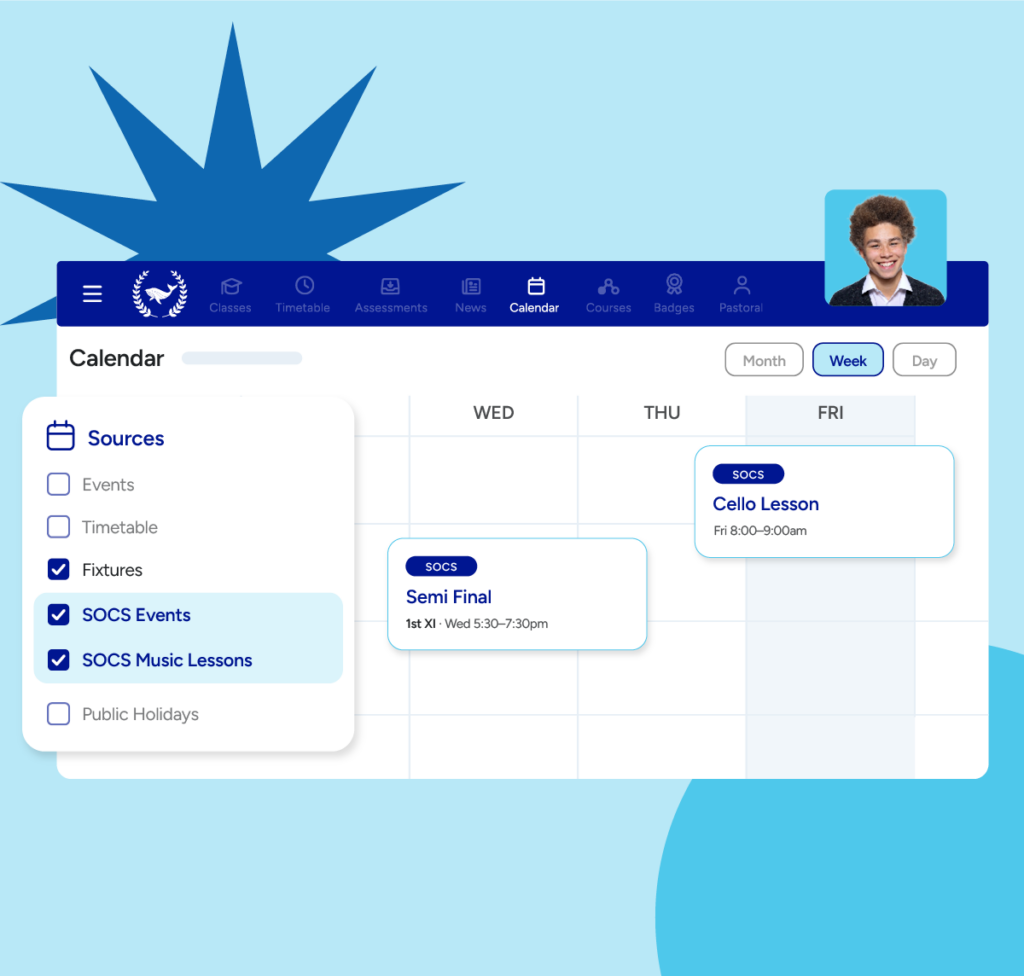
The next match, lesson or club, in the places your community already looks
SOCS information appears in familiar Schoolbox views. Each import can be switched on independently, so your school chooses the combination it needs.
Calendar events
SOCS events appear in the Schoolbox Calendar, assigned to the right campus.
Sports fixtures
Fixtures, teams, participants and results, shown in calendars, dashboards and school or group pages.
Music lessons
Lessons appear in the calendars of matched students and staff, with times and locations.
Co-curricular activities
Clubs, scheduled events, locations, registered students and assigned staff, all visible in Schoolbox.
- Plus single sign-on. Users open SOCS with their Schoolbox account once it’s configured across both systems.
One view of the whole school day
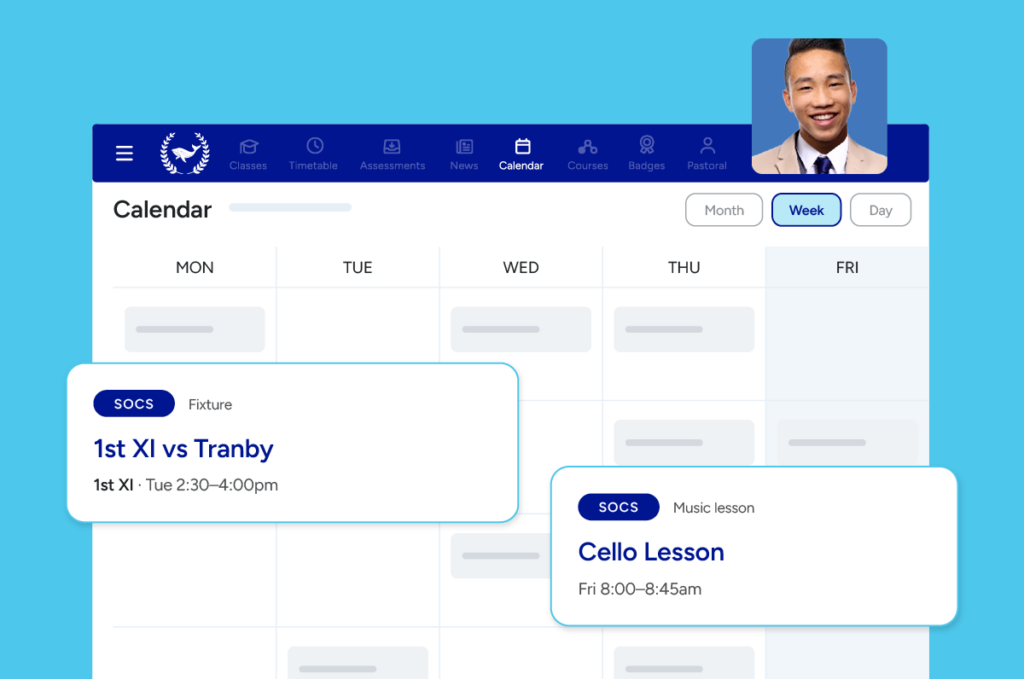
Lessons, practice and matches in the same calendar as class
Music lessons and fixtures sit alongside their timetable, so the whole day is in one place.
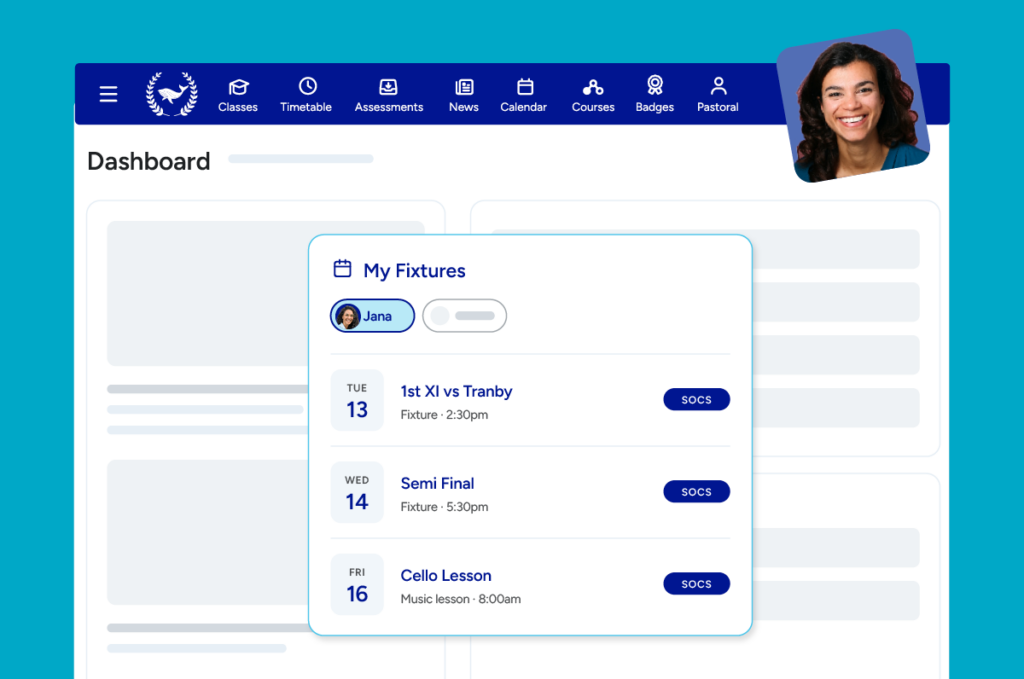
What’s coming up for their child, in the portal they already use
Parents see upcoming activities for their linked children through the My Fixtures dashboard component.
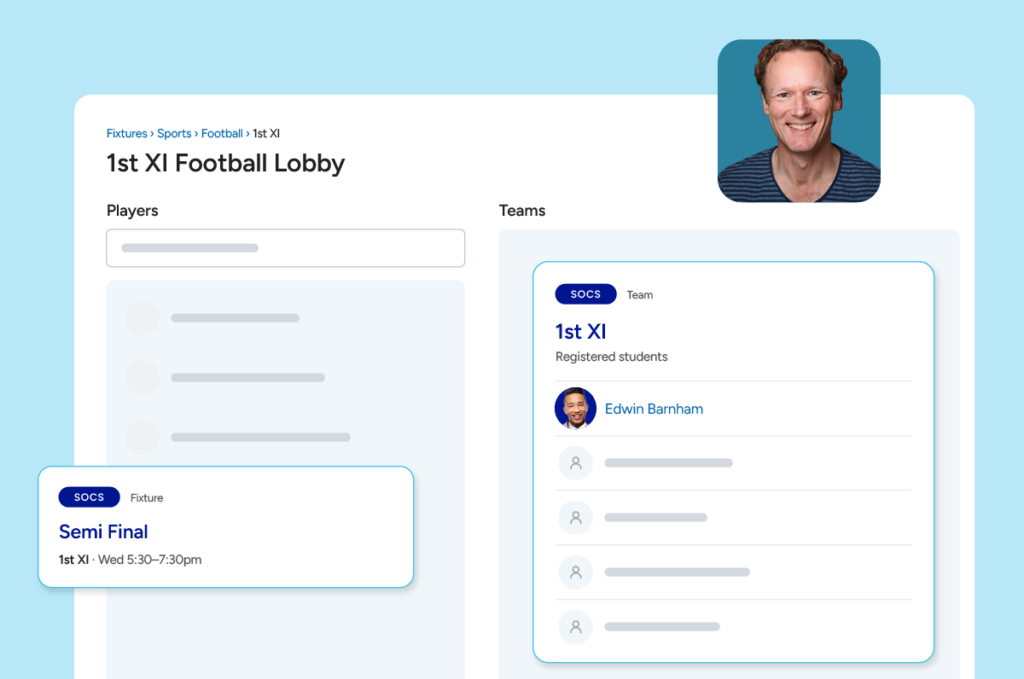
Teams, participants and lesson times without switching systems
See fixtures, registered students and lesson schedules in Schoolbox calendars, dashboards and pages.
Manage in SOCS. View in Schoolbox.
Nothing about how your team runs programmes has to change. SOCS stays the source of truth, and updates appear in Schoolbox after the next successful sync.
Your programmes
- Sports fixtures and teams
- Music lessons
- Clubs and activities
- Calendar events
Imported after each successful sync
Your community’s view
- Calendar
- Fixtures module
- Dashboards, including My Fixtures
- School and group pages
Your school chooses which feeds to enable and how to display them. Visibility depends on configuration, permissions and matching school and user records.
Keep SOCS. Choose a platform for everything else.
School life goes beyond the classroom, and your next platform should too. Schoolbox brings curriculum planning, assessment and feedback together with community communication, and works alongside the specialist systems you already rely on.
Explore the fit for your school
In a demo, see how SOCS information can sit within your school’s Schoolbox experience, then talk through your learning, communication and implementation needs.
Connect SOCS to Schoolbox
Considering SOCS, or ready to connect an existing setup? Your administrator can use the integration guide to review which imports and sign-on options suit your school.
Frequently asked questions
Yes. SOCS remains the source of truth. The integration brings that information into Schoolbox; it doesn’t move programme management into Schoolbox.
No. Calendar events, sports fixtures, music lessons and co-curricular activities can each be enabled on their own. Single sign-on is configured separately.
After the next successful sync. The co-curricular connector checks for updates every four hours, with a possible short delay before an import begins.
Registration stays in SOCS. The integration imports activity information and registrations into Schoolbox, and families can open SOCS with their Schoolbox account once single sign-on is configured.
Your programmes in SOCS. Your whole school connected in Schoolbox.
See how SOCS information can become part of your school’s learning and community experience.